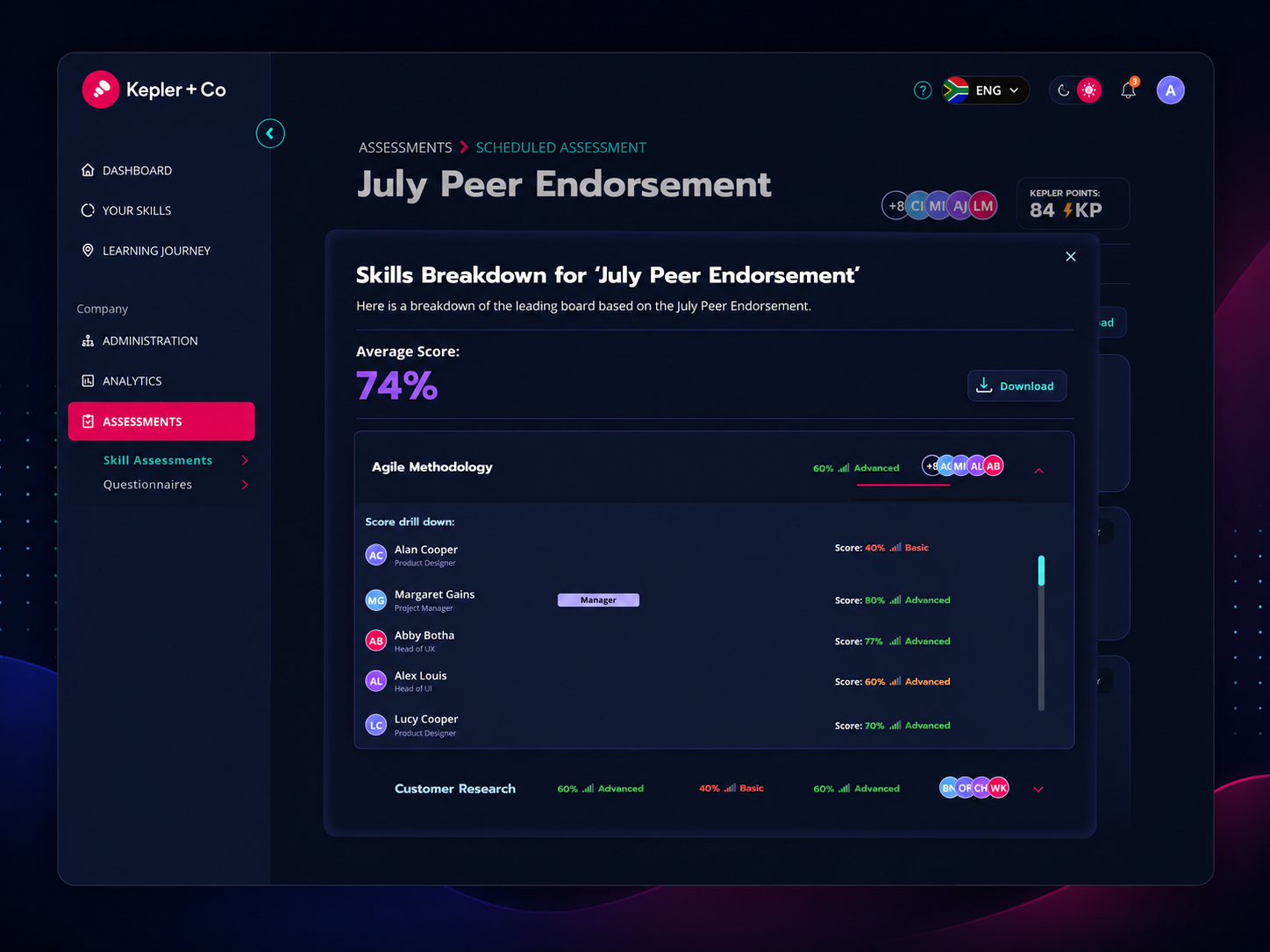
A complex SaaS platform module designed to give managers and HR administrators real-time visibility into how skill assessments are progressing across their teams built on rigorous UX principles and a sophisticated dark-mode design system.

A complex SaaS platform module designed to give managers and HR administrators real-time visibility into how skill assessments are progressing across their teams built on rigorous UX principles and a sophisticated dark-mode design system.
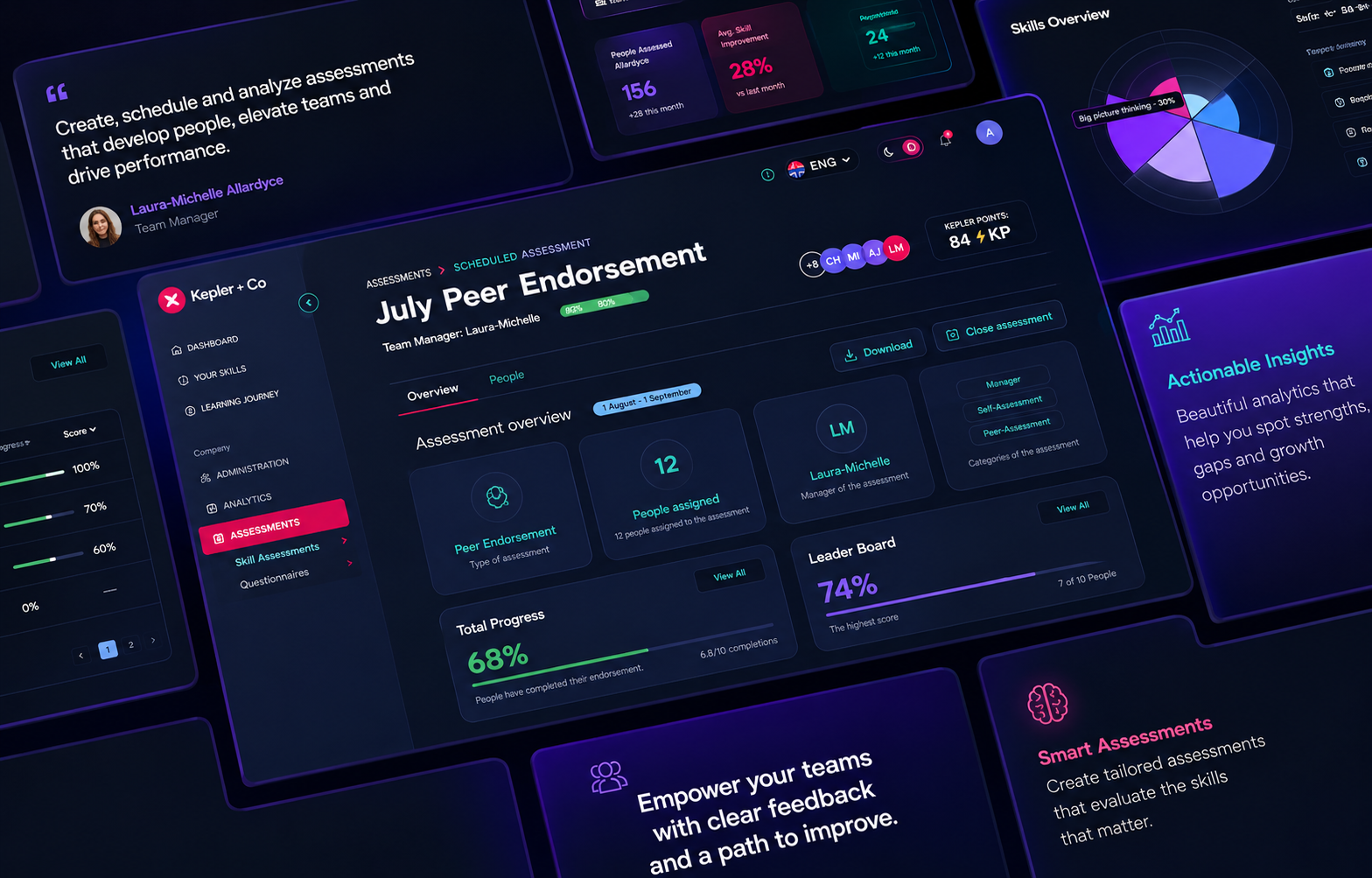
Without a clear way to track the progress of an assessment in real time, managers were flying blind. They couldn't tell who had completed their assessment, who was stalling, or whether the team was on track to meet the deadline. This created reactive management following up manually, missing roadblocks, and making resource decisions without reliable data. The platform needed a single view that gave managers control without overwhelming them with complexity.
Three distinct user types: HR administrators, team managers, and organisational admins and each with different levels of access and different needs. The primary actor: the team manager who schedules, monitors, and closes assessments.
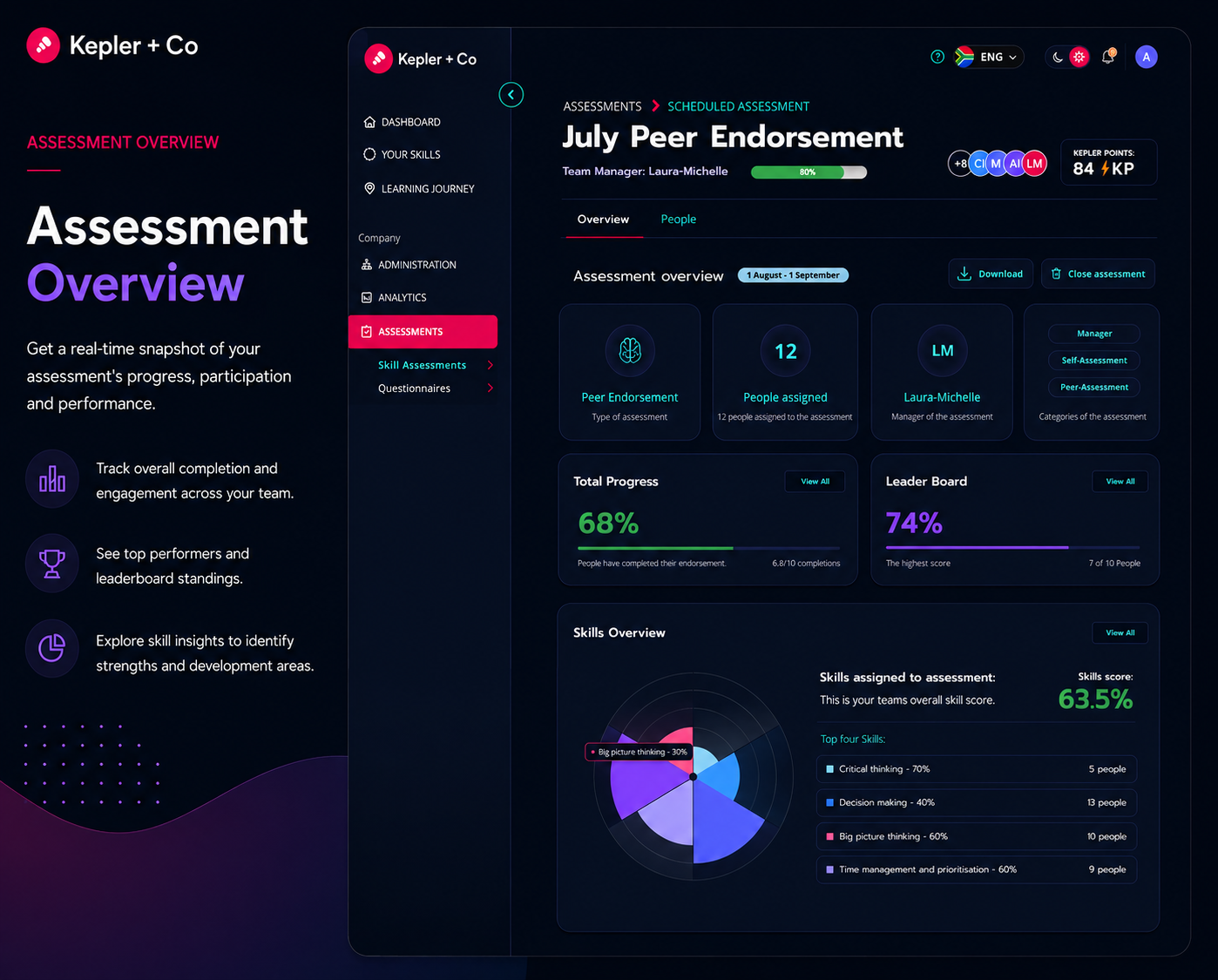
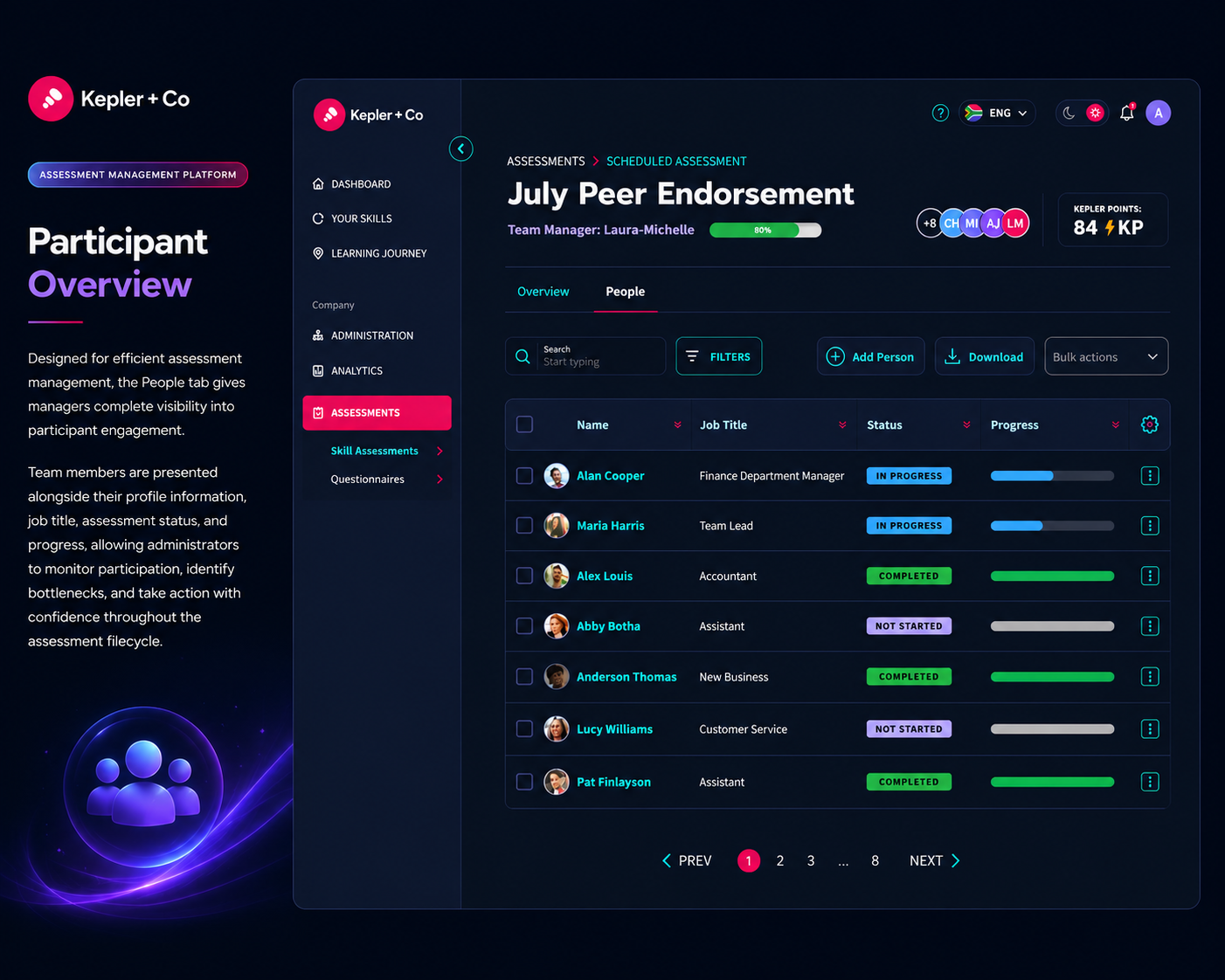
User Story: Starting with the user story, as a manager or admin, I want to review the progress of how my assessment is going.
I mapped the full assessment lifecycle across four states: Scheduled, Draft, Live, and Closed. Each state has different editing permissions and available actions, which I translated into precise interaction rules.
I grounded every decision in applied UX principles: Hick's Law to limit choices and reduce decision time, Fitts's Law to optimise tap and click targets, the Zeigarnik Effect to surface incomplete tasks clearly, and Von Restorff's Isolation Effect to make critical status indicators visually distinct.
I then moved from flows and wireframes into a full dark-mode UI system using data tables, modal flows, real-time progress indicators, skills breakdowns, and a leaderboard. All designed to be scannable at a glance.
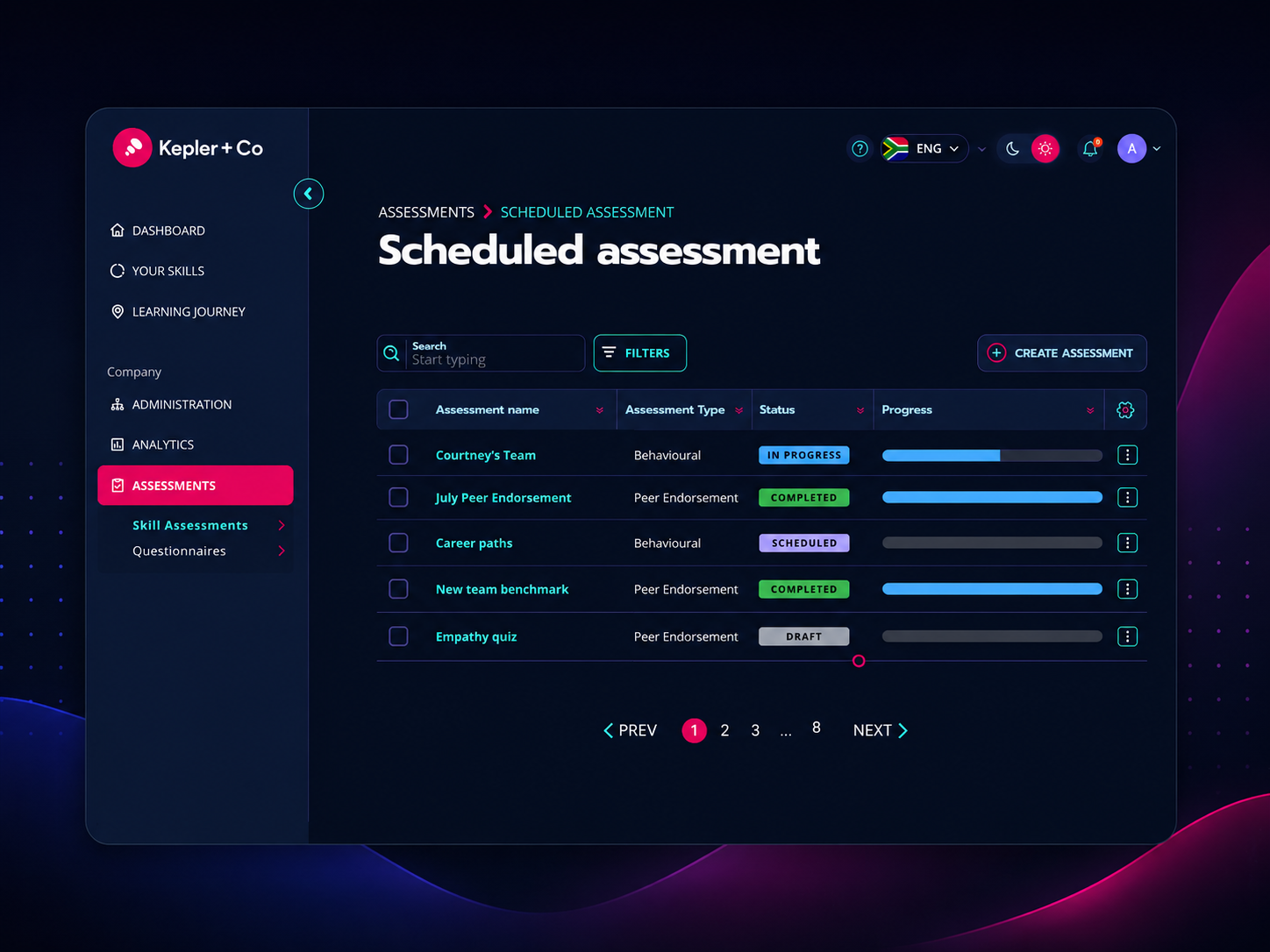
Tracking the progress of an assessment allows managers to ensure timely completion, identify roadblocks early, and monitor overall team performance enabling informed decisions and better resource allocation. Done poorly, assessment tools create more admin than they solve. Done well, they give managers confidence without adding noise.
A fully designed assessment management experience covering: a scheduled assessment overview with real-time progress and leaderboard data, a people management view with search, filter, and bulk actions, individual skills breakdowns per participant, an Add People mid-journey flow with confirmation feedback, and state-specific editing rules that protect data integrity without confusing the user.
Delivered as a comprehensive, production-ready design handoff to the development team.